The legionella logbook
Paper, Excel or an app: which logbook suits you?
Every legionella logbook has to show the same thing: what was flushed and measured, when, by whom, and what you did when something deviated. The form decides how much work that is and how strong the evidence is. Below, the three common ways side by side.
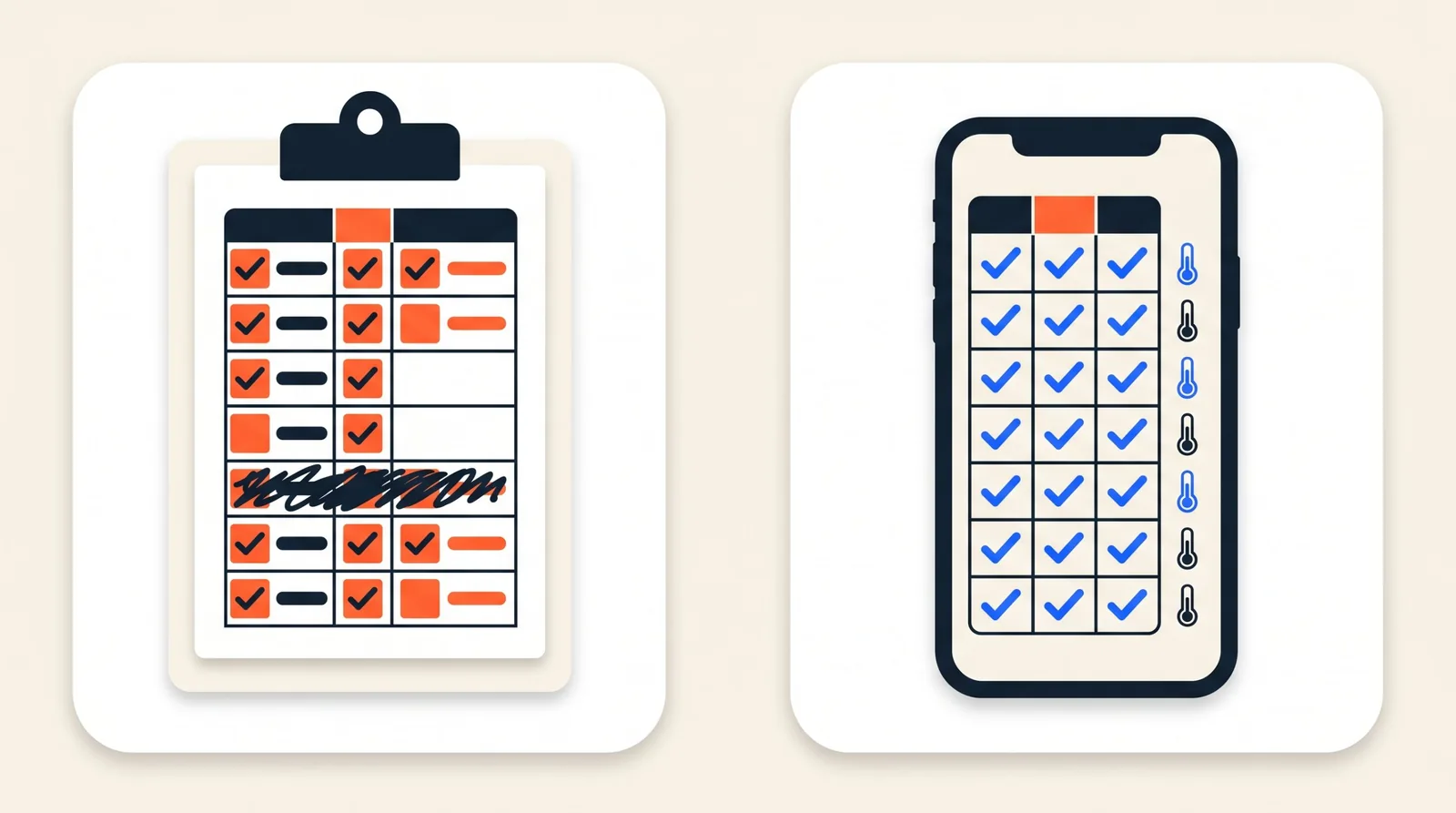
Side by side
Three ways, seven questions
What does a line prove?
An inspector does not just ask whether there is a signature, but whether flushing really took place.
- Paper sign-off sheet
- That someone signed. Whether flushing happened is not in it.
- Excel or spreadsheet
- That someone typed something in. Can also be filled in afterwards.
- LegioLog
- A tap at the tap with time and name. With a sensor on the pipe you see for each flushing round whether hot water came.
Who keeps it up to date?
The work behind the logbook, apart from the flushing itself.
- Paper sign-off sheet
- The person flushing fills it in; someone collects the sheets.
- Excel or spreadsheet
- Someone types the sheets into the file.
- LegioLog
- Nobody. The tap and the sensor write the logbook.
A week skipped
What happens when a round is not done.
- Paper sign-off sheet
- An empty box, which you only see when you open the binder.
- Excel or spreadsheet
- An empty row, if someone updates the file.
- LegioLog
- The round stays open on the dashboard and becomes an alert after the due date.
Water temperature
Hot water that cools down or cold water that warms up.
- Paper sign-off sheet
- Only at the monthly measurement with the thermometer.
- Excel or spreadsheet
- Only what someone measured and typed in.
- LegioLog
- The sensor measures every 15 minutes and reports a deviation within the measuring interval.
Report for the inspector
What you put on the table when an inspection comes.
- Paper sign-off sheet
- The binder, with all the sheets of the year.
- Excel or spreadsheet
- A printout of the file, in the layout you made yourself.
- LegioLog
- A report with one click: flushes, readings, alerts and measures, with a checksum.
Changing afterwards
Can a line still be changed quietly later?
- Paper sign-off sheet
- Crossing out and overwriting is possible; you can see it, but not trace it.
- Excel or spreadsheet
- Any cell can be overwritten, without a trace.
- LegioLog
- No. A correction is a new line; the old one stays.
Costs
What it costs in money. Time is covered above.
- Paper sign-off sheet
- Almost nothing: paper and a binder.
- Excel or spreadsheet
- Nothing extra, if you already have a spreadsheet program.
- LegioLog
- A kit from €395 one-off and a subscription from €39 per month. Renting on request.
To be fair
When paper is simply fine
Do you have a small site with a few taps, do you flush faithfully every week and measure the temperature every month? Then a well-kept sign-off sheet will do. A logbook is about what happens, not about the form.
An app starts to pay off when more people flush than just yourself, when seasonal staff change, when buildings are far apart, or when you want to know that the hot water was really hot and not just that there is a signature.
About Excel
Copying it over is the weak point
A spreadsheet looks tidy, but it is almost always paper that was typed in later. The date in the cell is the day of typing, not of flushing, and an inspector knows that.
If you still want to work with a file, type per line the date and time of the flush, the name of who flushed and the measured temperature, and keep the paper sheets with it.
The difference
From a signature to evidence
The tap
Whoever flushes holds their phone against the tag next to the tap. Time and name are in the logbook straight away.
The sensor
The sensor sits on the hot pipe leaving the water heater. After the flushing round you see whether hot water came out of the installation.
The report
Flushes, readings, alerts and what you did, in one document for the inspector.
See what a logbook that writes itself looks like?
Read how it works step by step, or ask us for a pilot or a call. We work out the kit size and the price with you.