Install it yourself
Can you hang a picture? Then you can do this.
No installer, and everything you need is in the box. You follow the app step by step and are done in half an hour on average. Below you see exactly what you do.
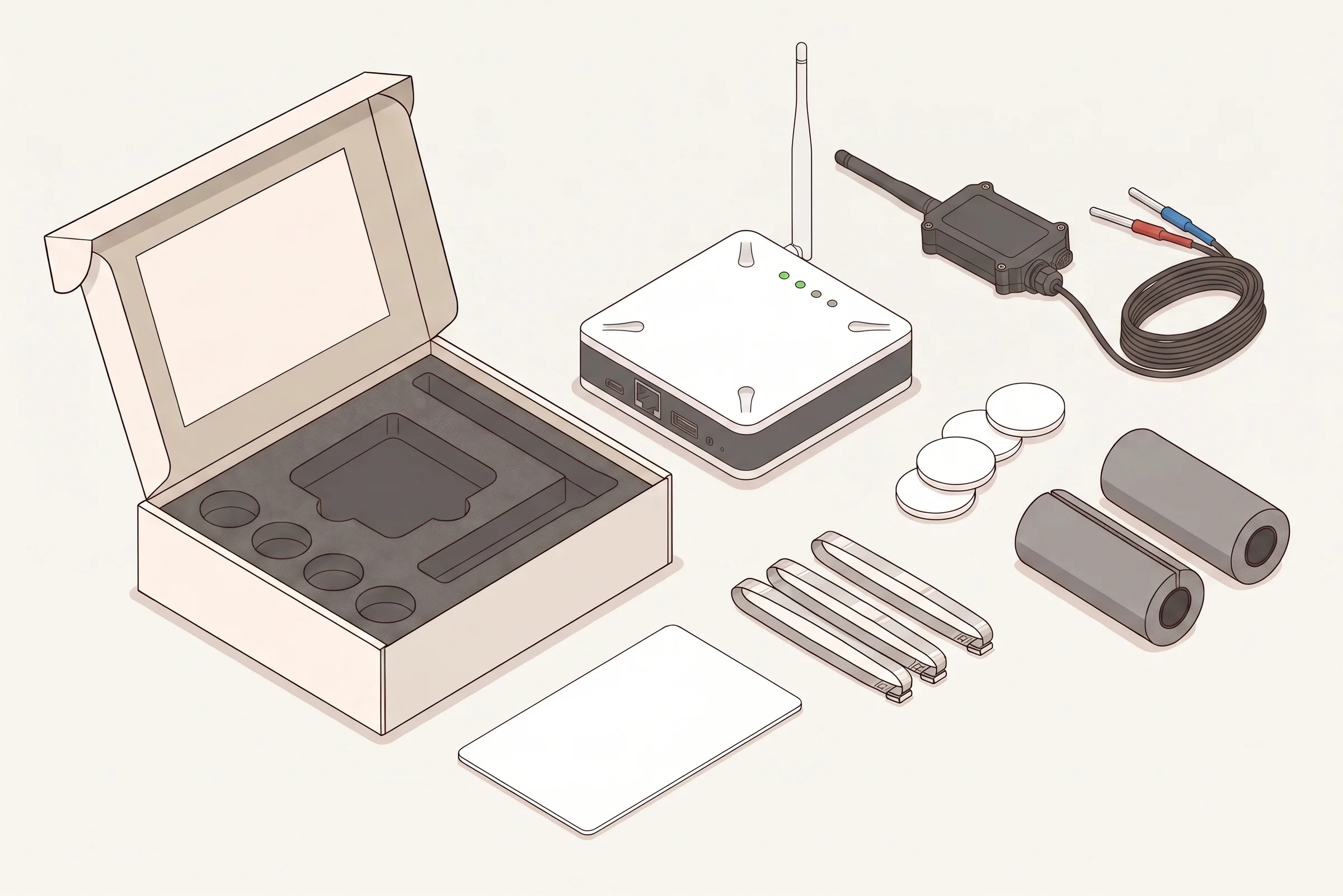
In the box
Everything is in it
You do not need to order anything else. The kit is matched to your location when it is put together.
Six steps
- 1
Scan the QR code
On top in the box is a QR code. Scan it with your phone: it shows you step by step which parts are already coming in.
- 2
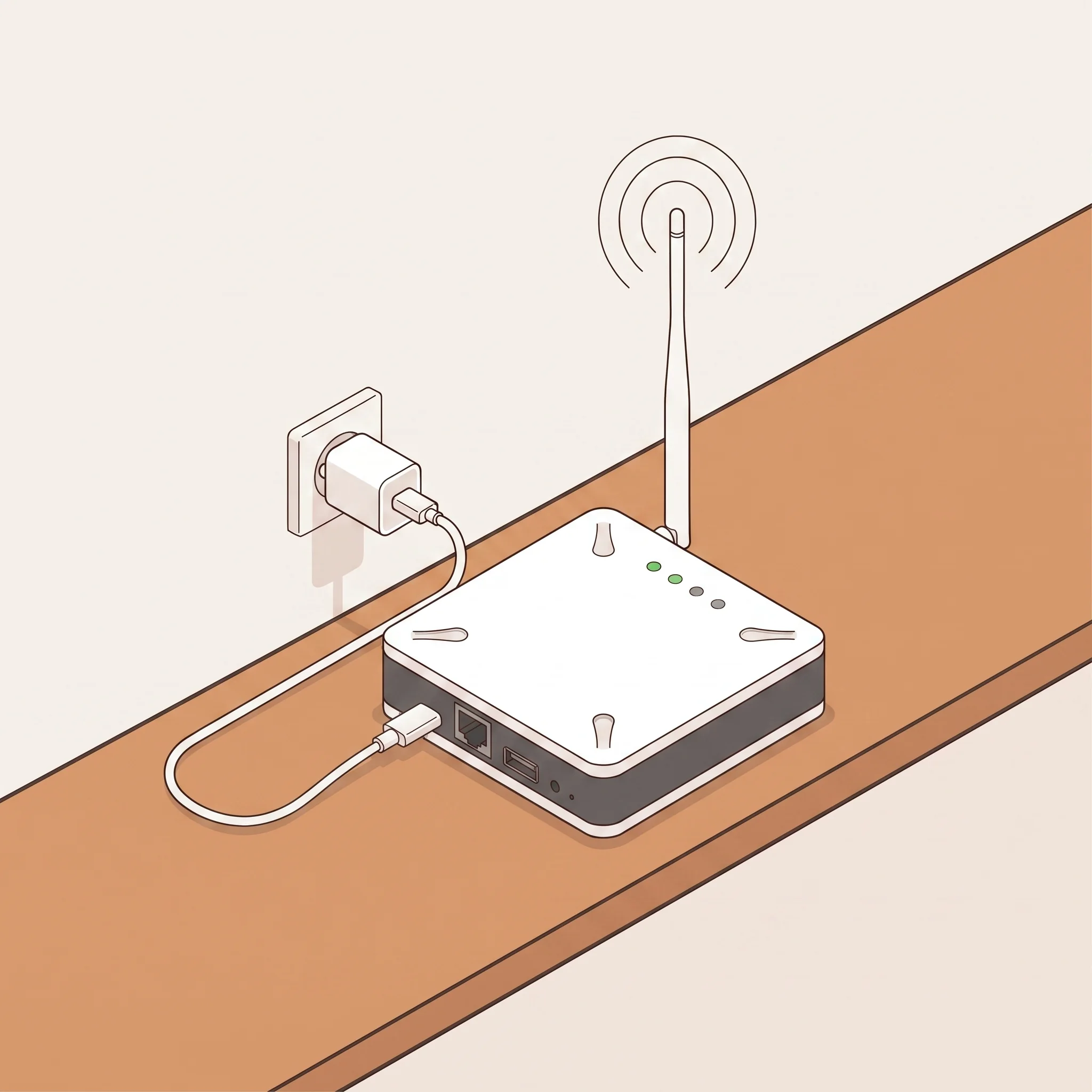
Plug in the gateway
Plug the gateway into a socket at reception and the network cable into your router. Wait until all four lights are on.
- 3
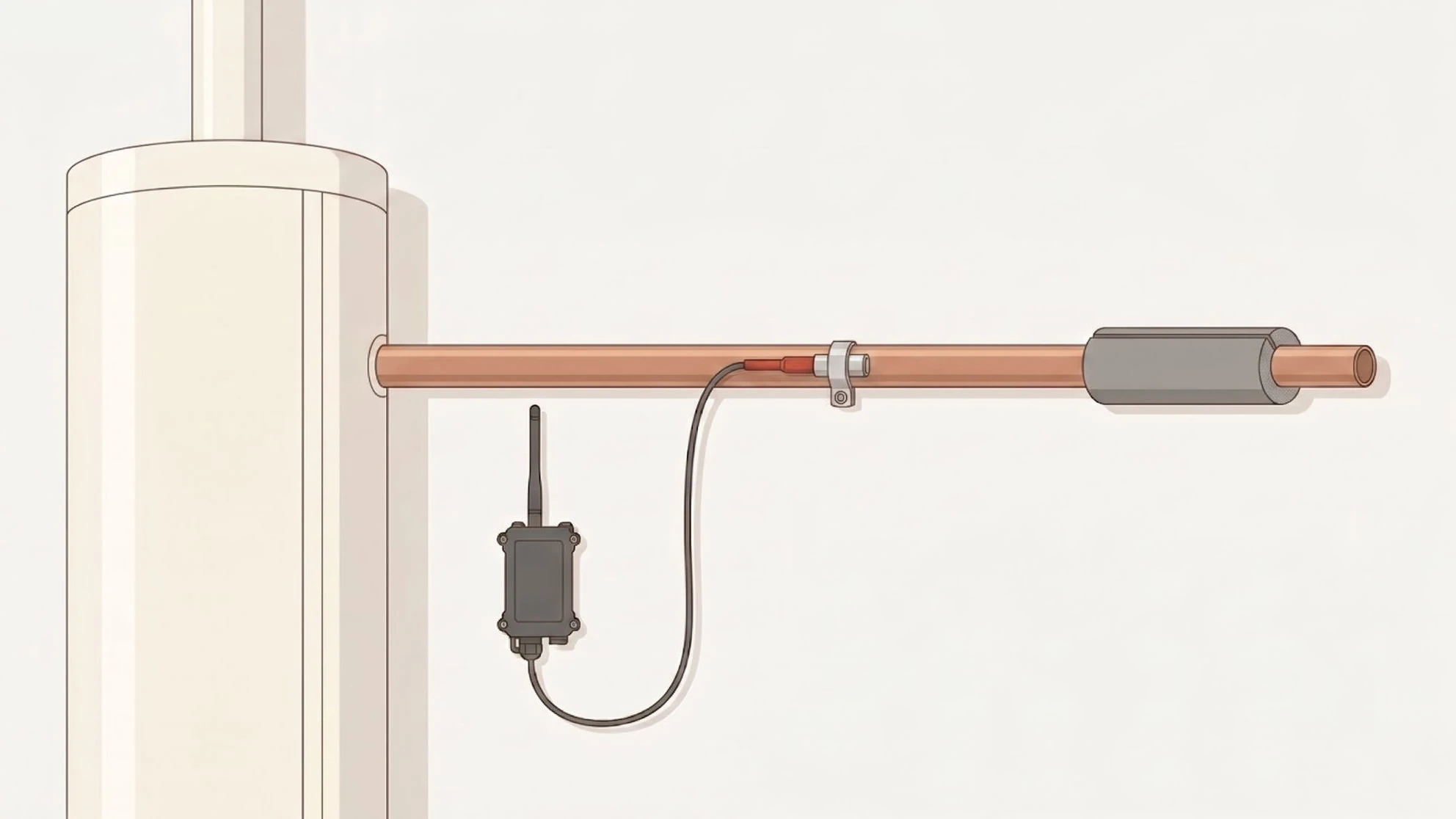
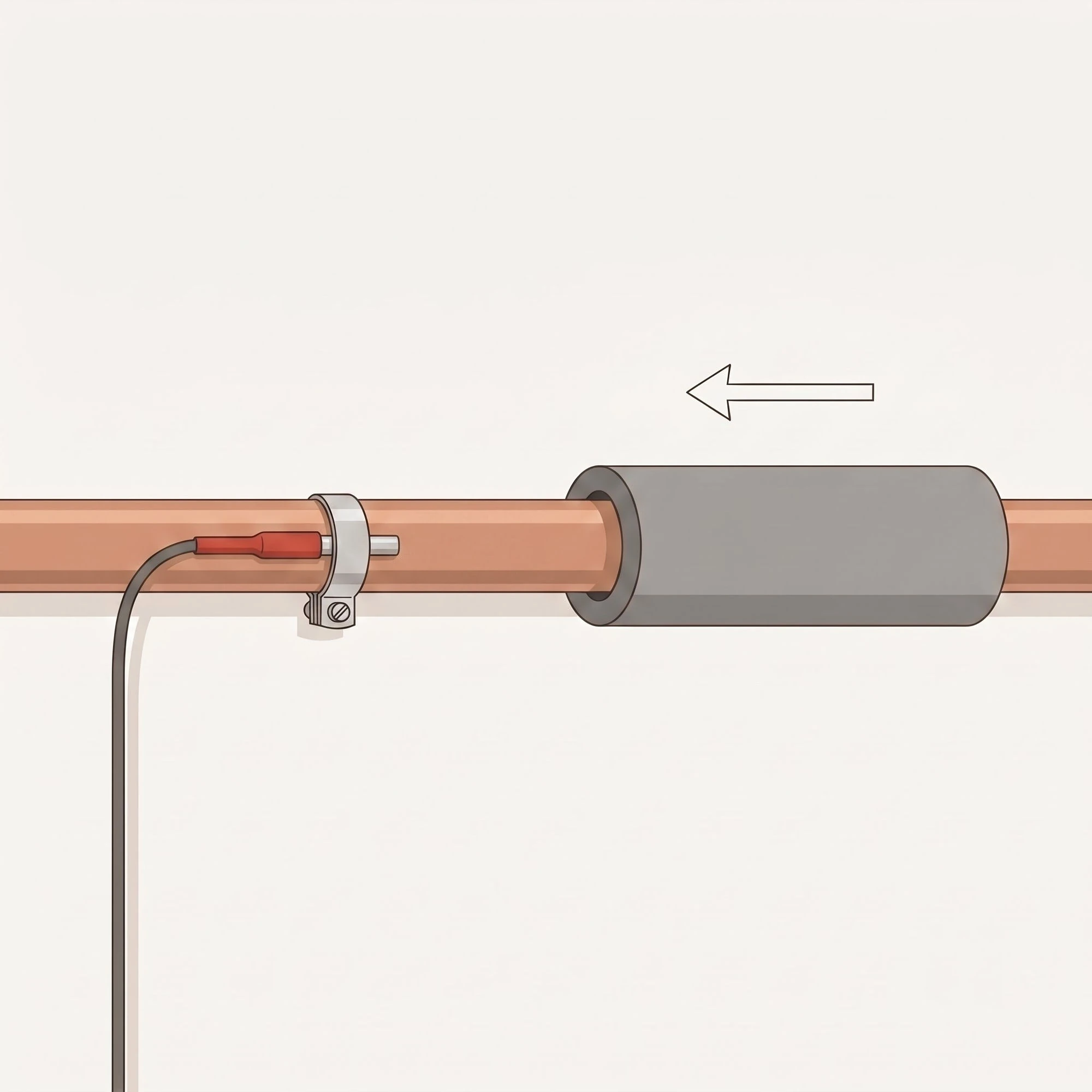
Sensor on the pipe
The red probe goes on the hot pipe leaving the water heater, before the first branch and at least two metres from the heater. The white probe on the cold supply. The insulation sleeve over it.
- 4
Check the placement
Open a hot tap and press Start the check in the app. The app watches for a few minutes whether the red probe sees the hot water.
- 5
Stick the tags
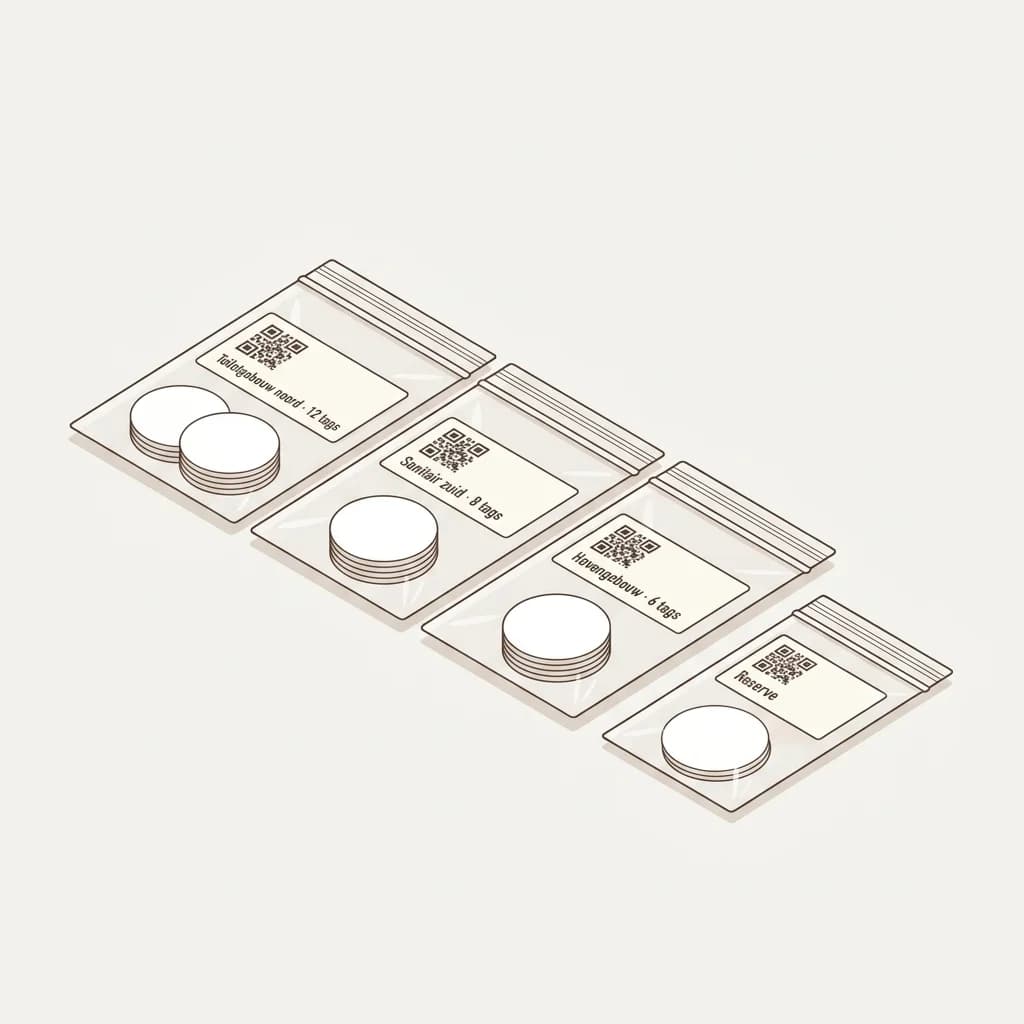
Take the bag for the building and stick a tag at each flushing point. Tap it and choose which flushing point it is; the app keeps track of what is left.
- 6
All green
On the page of the QR code every sensor and the gateway turn green as soon as their first reading is in. From then on your logbook writes itself.
Gateway over wifiNo router near the gateway? This is how we set up wifi for you.
The network cable in the box is the standard: plug it into the gateway and your router and you are done. No router near the gateway? Then we set up wifi for you before we ship the box. You do not need to do anything in the gateway yourself.
Good to know in advance: the gateway only works on a 2.4 GHz wifi network, not on 5 GHz. Most routers broadcast this next to the faster 5 GHz network; sometimes it has its own name (for example ending in "2.4G").
- 1
Tell us the name of your wifi network
In the setup form, choose wifi for internet and enter the name of your 2.4 GHz network exactly as it appears on your phone.
- 2
We call you for the password
When we put your kit together, a member of staff calls you for the wifi password. It only goes into the gateway; we do not store it anywhere.
- 3
Plug it in
During installation you only plug it into the socket. The gateway connects to your wifi by itself; in the LegioLog app you see it come online within a few minutes.
Not working?
- Your wifi password or router changes. Call or email us and we set up the gateway again together with you. With the network cable from the box it works straight away.
- The gateway does not come online. Check that it is a 2.4 GHz network and that the name is right. If it does not come back within an hour after an outage, call or email us and we will sort it out together.
- Still stuck? Plug in the network cable (that always works) and email info@legiolog.nl.
Meet & Match
Meet & Match: if you ordered too much or too little, within 90 days of delivery you can order more at the kit price, or return unused material in its original packaging free of charge.
Need help?
Stuck? Then we simply guide you through it on a video call.
Questions about installing
Do I need tools?
No, you do not need your own tools. A screwdriver and mounting paste are in the box. You attach the probes with the supplied clamps or cable ties, the insulation sleeve goes over them and the tags stick on.
Do the sensors fit my pipes?
In almost all cases they do. If not, contact us. Within 90 days of delivery you can return unused material in its original packaging free of charge (Meet & Match).
What if a sensor does not come in straight away?
The page of the QR code shows which sensor has not sent anything yet. Check that the gateway is on and give it a moment: a sensor measures every 15 minutes. If it still does not work, call or email us.
Can someone else extend it later?
Yes. You add extra sensors or tags the same way; the app guides you again.